Review: Anker High-Precision Wireless Mouse

Image

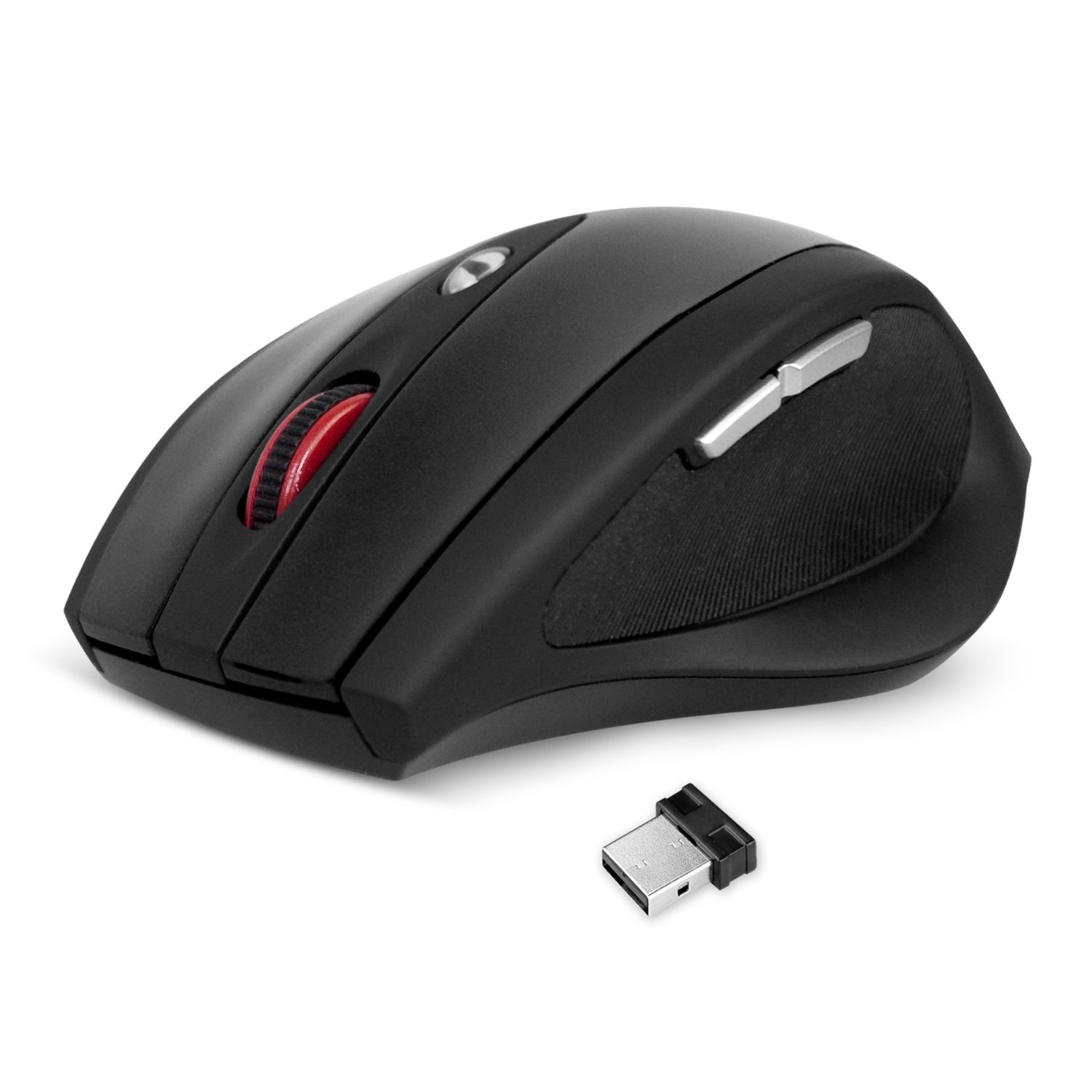
This mouse is currently on sale for £10 on Amazon.co.uk… Yep, £10 for a wireless mouse which has multiple dpi switch, 6 buttons, 10 metre range and an 18 month battery life (obviously the battery life will depend on the quality of battery you install and how much you use it).

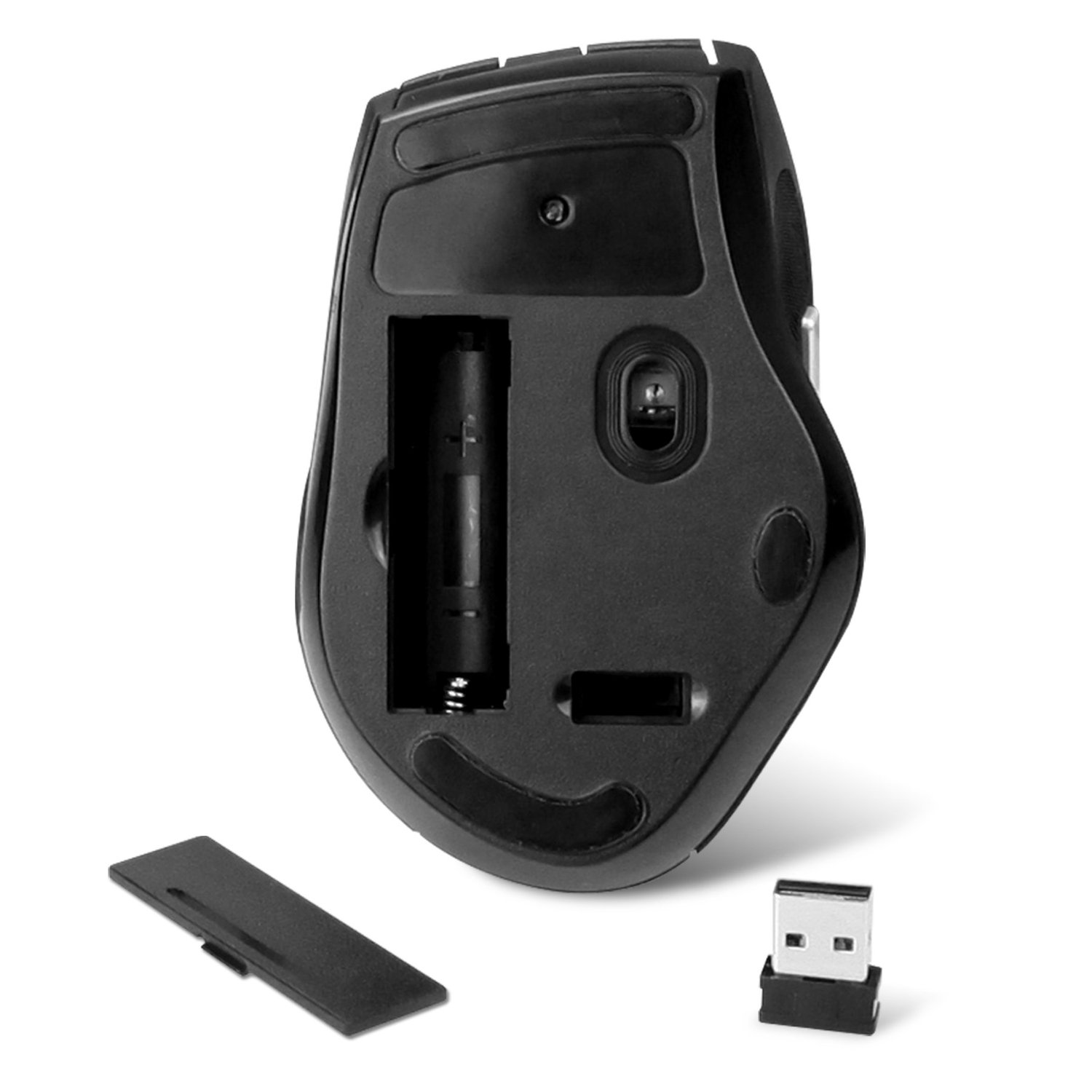
The mouse is just the right size (in fact it’s a normal mouse size, i hate those tiny portable mice). When you open the box all you need to do is put an AA battery in the mouse (battery not included) and plug the USB into a port on your computer. Drivers are installed automatically and in a matter of half a minute you’re good to start using it.

The USB is small enough that it fits into a handy receptacle in the base of the mouse, the only concern I have with this is it doesn’t quite seem snug enough that I’ll not worry about it coming loose and losing it. I would have liked this to be a bit of a tighter fit or to have some form of lock to keep it in place when not in use. This is especially prevalent for me as I already have a wired Anker mouse at my desk: Anker® High Precision Programmable Laser Gaming Mouse with 8000 DPI, 9 Programmable Button, Weight Tuning Cartridge, Omron Micro Switches, so this wireless mouse is going to be kept in my laptop bag ready to be used when on the road.

Image

Other than that it feels great in the hand and to use. It glides effortlessly over most surfaces and the 10 metre range is a good estimate.

If you are after a wireless mouse and you don’t want to spend too much then this really is a great bargain. Seriously, grab it quick before Anker notice and bump the price up 🙂

Review: Anker® Uspeed USB 3.0 7-Port Hub + 2 Charging Ports

Image

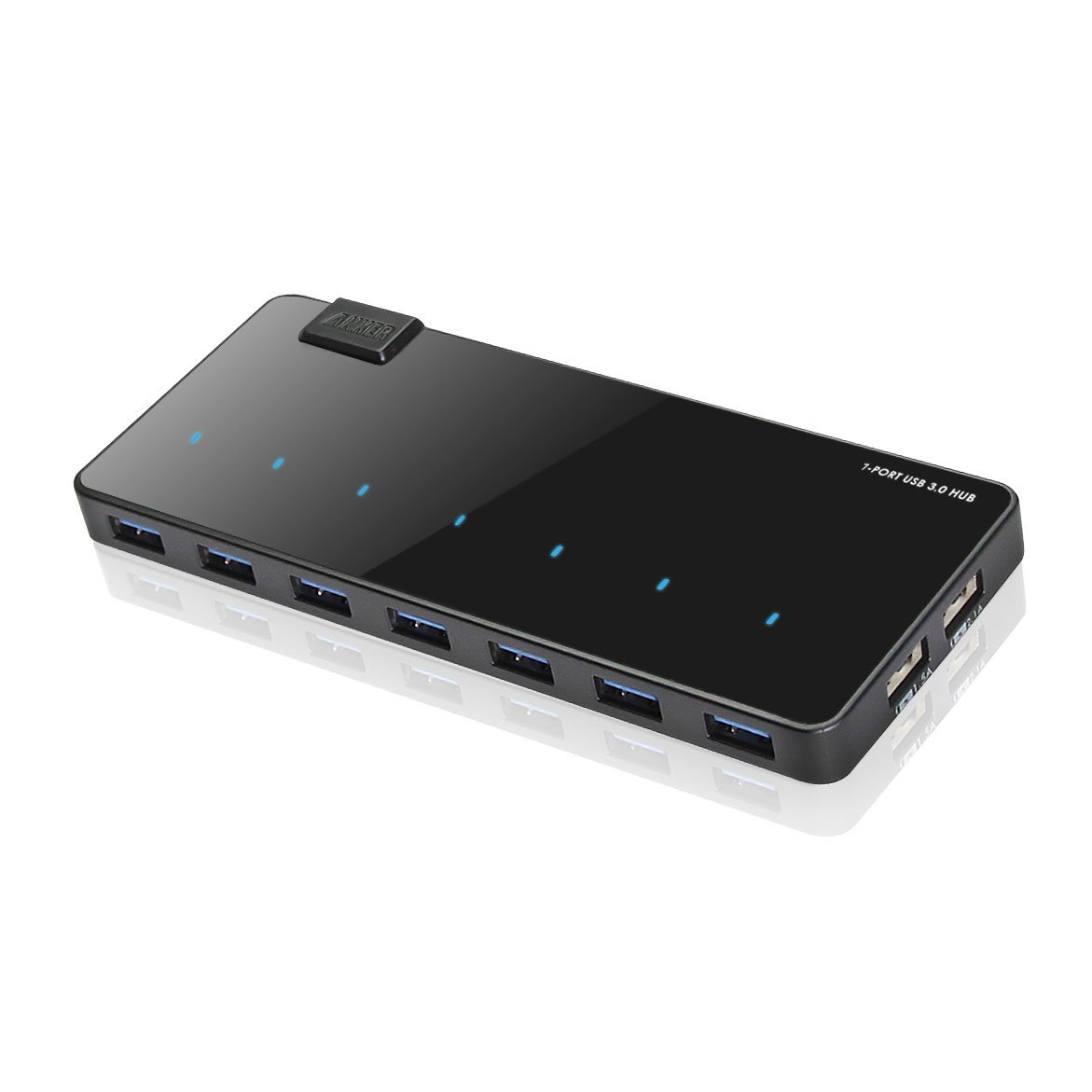
With all the gadgets and peripherals for our computers we’re running out of USB Ports with which to add new devices to. Fed up of having to unplug something in order to connect your Blackberry, USB Flash drives etc? I know I was. So this is a godsend as my laptop Docking station only has 3 available USB ports for which to connects to. Mouse & keyboard take 2. That leaves just one for my phone , USB memory or anything else to connect. This is especially a pain when trying to charge both my work Blackberry and my personal phone.

Now I have an additional 6 USB Ports with which I can connect (one of the PC ports is obviously taken up by the hub). On top of this, there are also 2 separate ports which are used only for charging a device. So if I want my phone to charge faster and do not need it to be connected to the PC in USB Host mode, I can connect it to one of these and it just accepts a charge which has more power output than running through a standard USB port.

On to the unit itself. The station is slim at just 1.5cm height and is well designed and built. You can see from the product pictures it is a sleek black box and it just oozes class. The shiny top is somewhat distracting as it’s a little reflective, but in a way I like it as it does make it look a little more expensive than a standard matte finish would give. On the top is also an led indicator for each port to show when something is connected and live. These indicators are recessed within the unit itself, so when not connected you just see a pure black slab. Nice! Be warned, the mirrored finish does mean it is prone to fingerprints and does show dust quite easily.

My main gripe with this hub is that all the PC USB ports are on the front of the unit. I would have preferred a split of maybe 4 ports on the rear, and 3 on the front. It can look a little untidy if you plug cables into the ports as it has to come out and then hook back leaving the front not as clean as I would have liked. Having 4 of them on the rear would have been a tidier option, with 3 ports at the front for non-cable based USB devices such as dongles, flash drives etc.

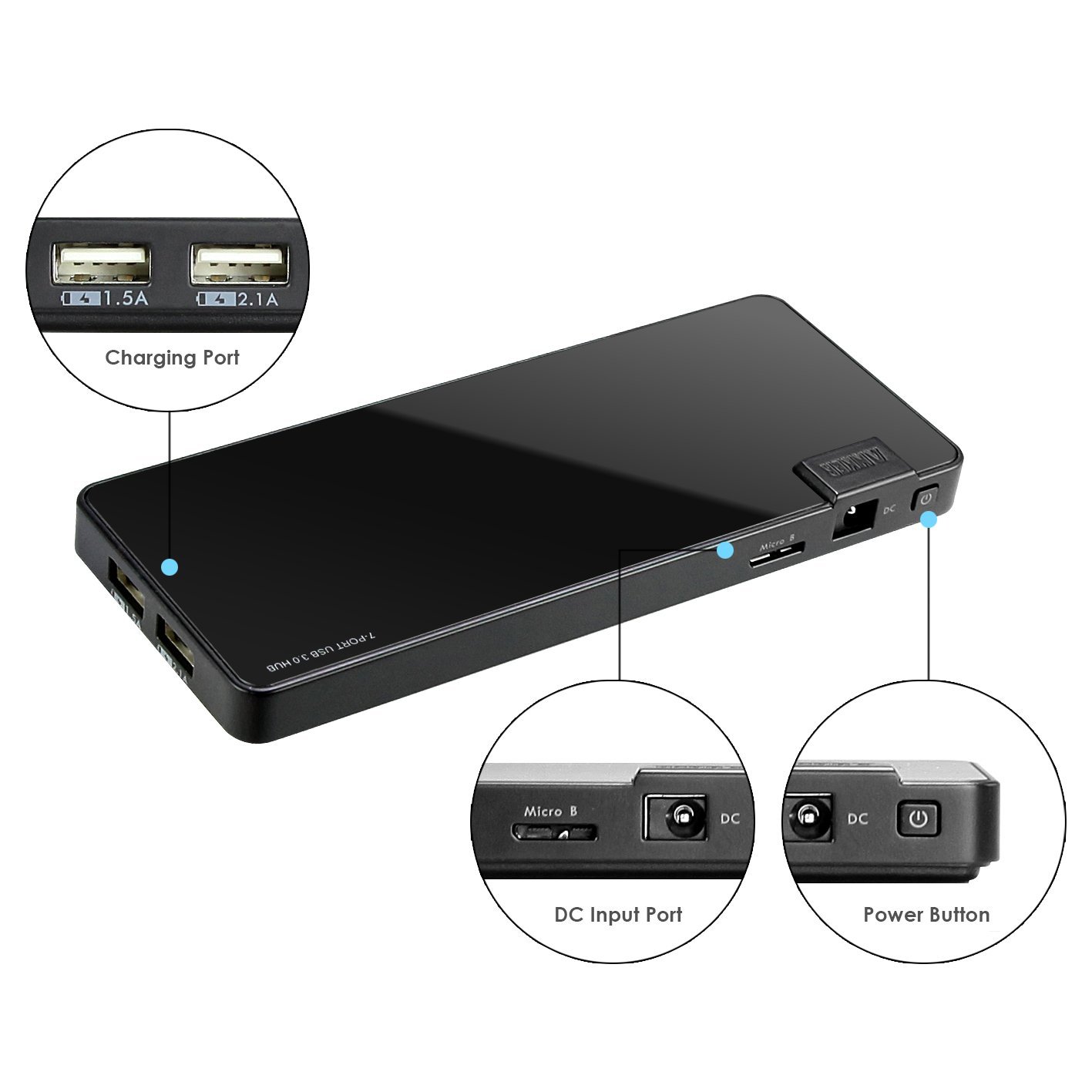
On the right hand side of the unit you have 2 charge ports. One for 2.1A output and a second for 1.5A, this means that it should be capable of charging any USB chargeable devices currently on the market. Even able to charge 2 at once if required!

I will also point out that this is backward compatible with all your standard 2.0 USB devices so there will be no issues if you need to use either. I am actually using this at work, and my current system doesn’t have a 3.0 port so cannot comment on performance. However, from other reviews I’ve read of this the performance given transferring a file is just as fast as directly into the PC. So I have no worries about when I upgrade that I will lose out on some performance by using this.

Image
I have had in the past several usb hubs, this is by far the best looking and best built. Previous hubs I’ve had tend to be unsightly and look quite plasticy and I’ve tried to hide them away. This one however is taking pride of place on my desk! The ports look like they will withstand the time of plugging in and unplugging, and the recessed LED indicator on the mirrored top really gives an extra nice touch.

One point to note, there is a power on button next to the AC input. I missed this and not reading the instructions wondered why it wasn’t connecting to my PC. Make sure once plugged in, you press this button for a couple of seconds to activate the hub.

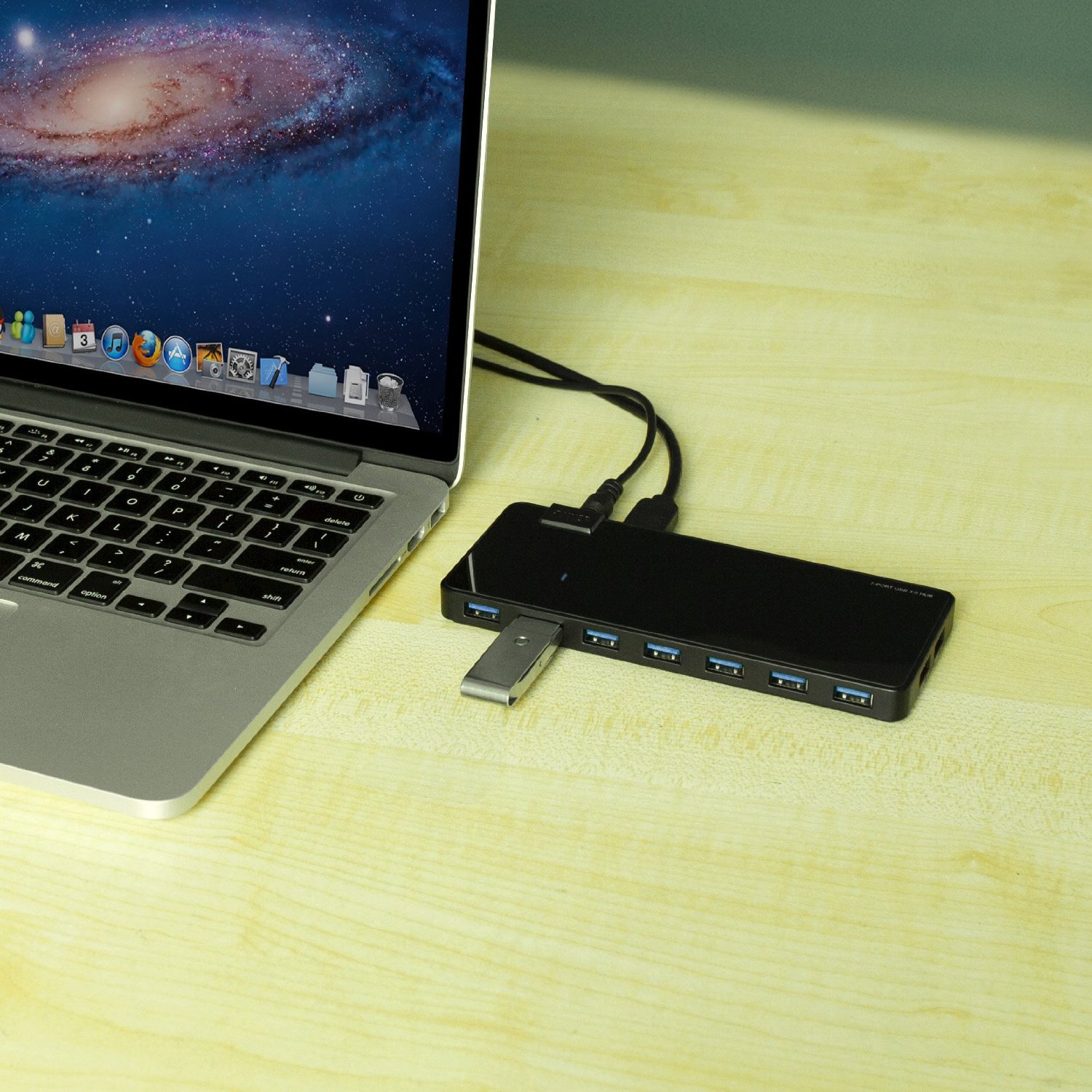
In Summary: If you want a well built hub with enough ports for most needs then you cannot go wrong with this. It will sit nicely on the desk and the rubber feet help grip it to reduce any movement. Except for the point I made about the placement of the ports this is a must have and I can now easily connect multiple devices without having to chop and change what is plugged in. The ports are well spread out with a decent enough gap between them to allow for slightly wider USB devices to be plugged in without affecting others (which is a common problem on Laptops especially).

Image

I can finally have my Mouse, Keyboard, HTC One 32GB UK SIM Free Smartphone – Silver, Blackberry, Fitbit One Wireless Activity and Sleep Tracker sync dongle and USB Flash all connected at the same time! Thank you Anker!!!!!

Review: HTC One (M7)

Image

“Inspirational, conceptual, beautiful. The #HTCOne is THE phone of 2013”

HTC really have done a superb job with this phone, I have been running the silver variant for 2 months now and have to say this is one of the finest phones I have used to date. Not only in design, but the Sense UI has been trimmed to give a more fluid feel and less power hungry which shows in the battery usage.

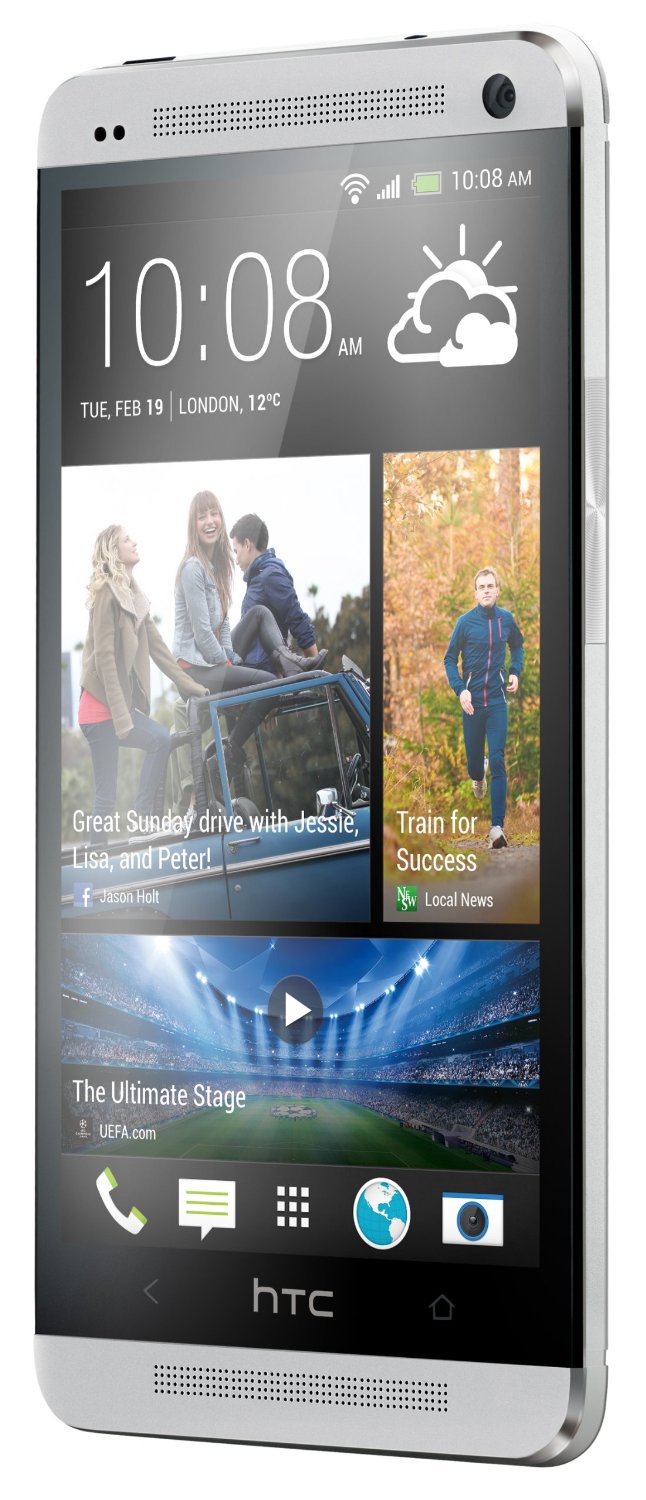
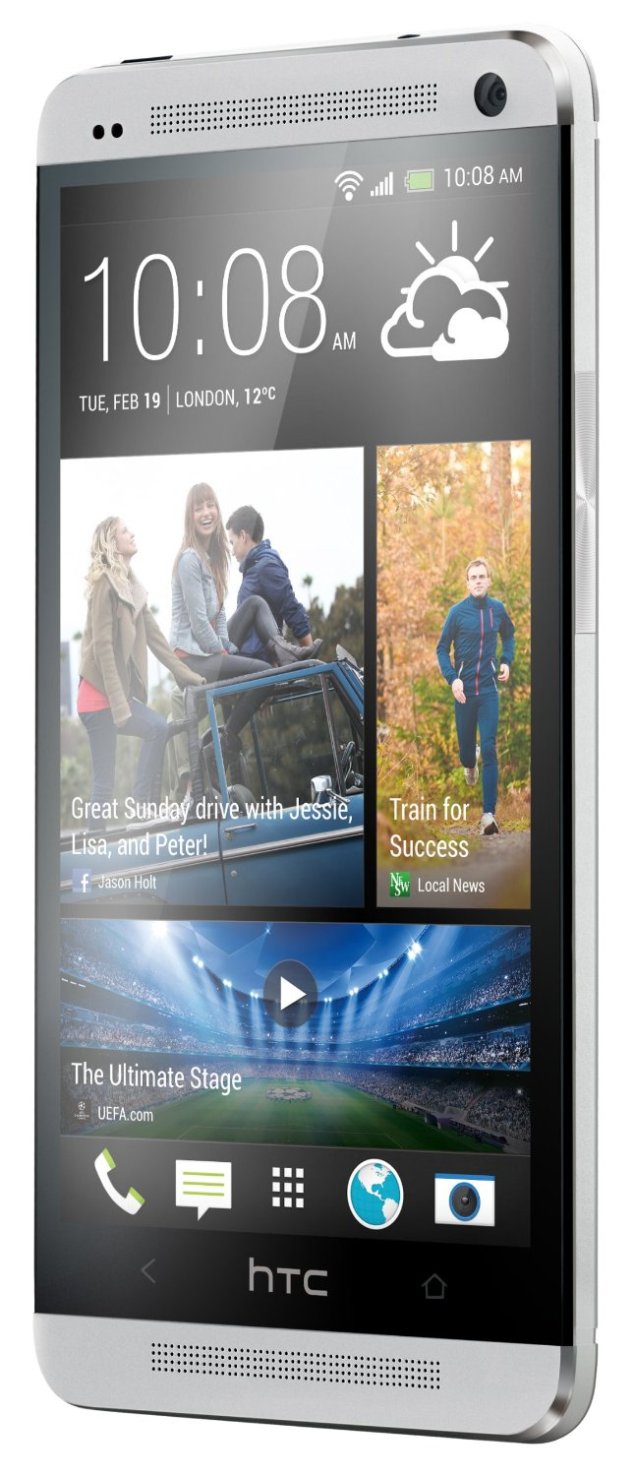
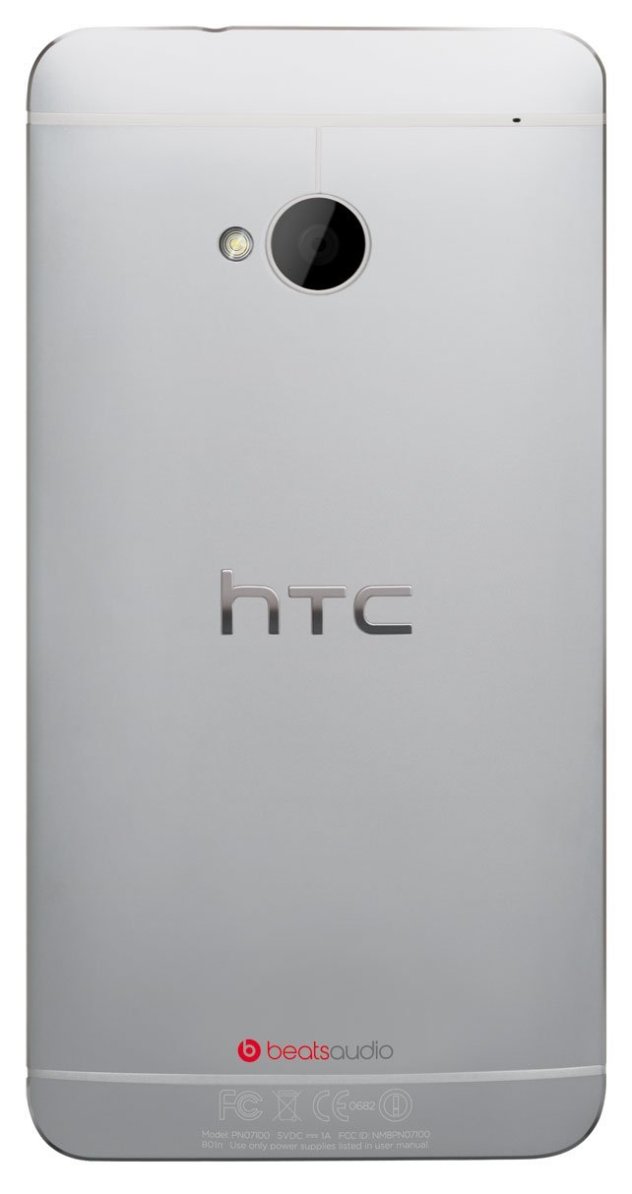
So let’s start with the design; Overall from the front it looks like a sandwich of clear black in between the two silver speaker grills. And while the actual digital screen isn’t edge to edge I quite like having that 5mm black edge framing the visible screen. The top speaker grill also houses the 2.1MP front facing camera and the ambient light sensor, proximity sensor and within the left side of the actual speaker grill is where you’ll find the LED (although you won’t know this until you get a notification or put it on charge). Round the side you’ll find the volume rocker which is an almost flush ridged flat metal bar which works to keep the sleekness of the phone whilst still having that tactile feel so you can find it without looking. On the bottom is the USB port and pinhole for the mic while the top just has the headphones jack and power button. Again, the power button is made flush to the phone, so it can be slightly tricky to find/press, and I can imagine might be tricky if you have larger fingers. The other thing with the power button is it’s clear black, why is this? Well it’s also an IR blaster, this is used to transmit Infra-Red signals to a TV, Sky Box, Hi-Fi etc as the phone can also act as your remote control. On the back is where you’ll find the much talked about Ultra-Pixel camera and accompanying flash, as well as another pinhole for the rear facing mic for use when capturing video’s (in full 1080p HD).

Image

The phone in it’s entirety is surprisingly slim, and another surprise is the weight. 143g, which is just the right weight in my opinion. Not too heavy, but not light enough that you don’t know you have it. It’s a sleek design and the back is set on a slight convex so that it sits nicely in the palm and just feels natural to hold. The only downside to this is when you are lying the phone on a flat surface such as a table and typing a text or using the phone as it makes a slight wobble. The finish overall is of a high quality which would be expected of a flagship device from HTC, as with all HTC devices I’ve used I’ve found their build quality to be unsurpassable.

So on to the bread and butter, usage and UI; The first thing you’ll notice once you’ve booted the phone up and gone through the standard setup process is the responsiveness of the phone. Sometimes I’m wondering if I even pressed the screen at times as I’ve gone to press an icon or shortcut and it’s opened before I’ve felt anything. It’s just so quick to respond to every gesture and press which is a far cry from anything I’ve used before… even AOSP/AOKP. You’ll also start to grasp how much the Sense UI has been trimmed down. This time you have a maximum of 5 panes to add widgets/shortcuts to and these are aligned in a row with Blinkfeed (HTC’s update to Friend Stream) taking the first pane, so really just 4 left to play about with. This time HTC have decided not to add loads of random widgets that you may or may not want to various panels, you just get Blinkfeed and the standard clock…. It’s now up to you to customise which in my opinion is better as I hated having to remove loads of widgets I didn’t want or use.

This time the app drawer is made to feel like an access panel rather than an additional window to be opened and closed. So rather than the button to open, and back button taking you out and back to the home screen. You just use the menu to open, and then menu again to reduce. This can be a little confusing to start with, but you get used to not being able to use the back button to close it and it does start to feel like a better way of operating.

All in all, Sense has had quite a revamp. So if you’ve used previous iterations of this skin it will certainly feel different, but in a good way! It’s cleaner, more polished and HTC have taken out a lot of the unneeded widgets, stock apps etc that just added to the drain on processor and battery. To me it’s starting to get to be more like pure android with some additional enhancements, whereas before it was a complete overlay which didn’t allow you to truly appreciate the Android OS for what it is.

So what else is new? Well, HTC have added an IR Blaster into the power button. So by using the TV app pre-installed on the phone you can run a setup process to determine your, country, channels and hardware setup. Once done you can easily open the TV app, see recommended programs or all programs, press the image of the program you want to watch and it will select the channel for you. No more fighting over the remote! With the Sense TV app you can add remotes by room, so for example you could have a setup for your living room, and another for the bedroom etc. The only thing missing is I would have liked another app to be on the phone to allow you to just use the remote feature by itself. For example I have a wireless speaker which I take on holiday or outside if we’re in the garden etc and I would like to have an app which could download or learn the remote codes for this without having to worry about the TV channels etc.

Have I mentioned the dual facing front speakers? This really is an impressive move. Stereo sound with a dedicated amplifier and Beats by Dre… all in a phone! It really does make a difference, and trust me you’ll know when you get a message or your alarm goes off for the first time in the morning, you may want to turn the volumes down a little. And I never thought I’d hear myself saying that about a phone speaker. Playing music through it is just a joy, no tinny poor quality sound. And if you put the volume on max, the bass doesn’t distort or feel un-natural. You really do need to hear it to believe it!

Blinkfeed – In a slightly controversial move HTC have made Blinkfeed a static non-removable home screen panel taking up the first of the 5 available to you. So what is it? Blinkfeed is like a mesh of tweets, Facebook status updates/wall posts, information such as news, reviews etc from various online sources as well as upcoming calendar appointments or TV shows (if you have the TV app configured). The aim is to provide a hub for the activity which it feels would be of interest to you all on one screen. I’m not a huge fan of seeing everything my Facebook friends are doing, so I’ve set mine to just show my calendar entries and TV recommendations. But I can see this would be good for people who do like to keep on top of it all.
Image

Why no megapixels? If you haven’t already understood ultrapixels then there are some great guides as to the benefits of ultrapixels over megapixels on the HTC blog. But in essence, megapixels are great if supersizing your pictures to put on a billboard or a very large screen. But for daily usage ultrapixels offer a better clarity and image processing. This leads to far clearer images and pictures I’ve taken on my phone are in such high quality I’ve actually converted from using my Canon compact to just using the phone now as the images are actually better. The colours and clarity offered is amazing to see, especially on the HD screen you get with the One. Just another feature I urge anyone to see for themselves as you won’t get the full experience until you actually try it. One great feature, and one I use a lot is the movie highlight feature which using some clever algorithms creates a short film of an event in your gallery and combines stills & moving images to create a kind of trailer for your event. Everyone I have shown this to is massively impressed, and it’s yet another feature I’d suggest looking at for yourself to really see how good this is.

Overall there are many other features and technical detail I haven’t gone into, but I’ve tried to cover off the parts which I think most people will relate to or use regularly. I can’t emphasise enough how good this phone really is. If you are due an upgrade a would urge that you seriously consider the HTC One as your next phone as it is a fantastic all-round device which offers something for everyone.
Review: FitBit One Wireless Activity and Sleep Tracker

Image

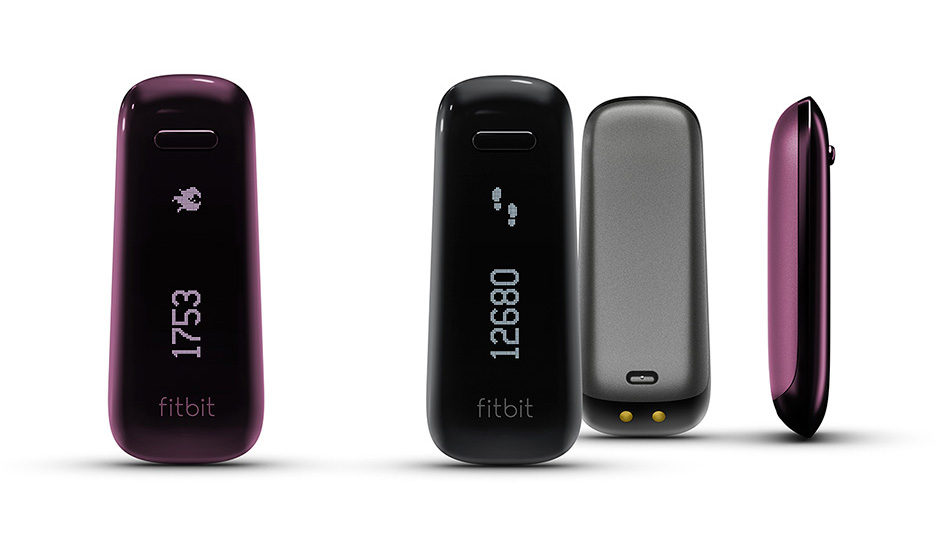
I got this as an aid to help me track my fitness levels in an effort to try and lose some weight and get back in shape. It does this very well, and the wealth of online tools and ability to sync with other applications makes this such a useful tool.

I have this linked to my Endomondo & MyFitnessPal to help me track and keep better monitor my workouts (with Endomondo) and Calorie intake (using MyFitnessPal which is better than the FitBit‘s own calorie/food tracker). With these 2 pairings I get a great coverage of my activities and it’s really so useful to make sure you’re not over-eating and that workouts are better recorded. I record all my activities on my Android HTC One with the respective apps.

Image

I would also recommend if you have an Android phone to install and use DriveBit which is an easy way to start recording when you’re driving so as not to falsely record movement whilst in the car. DriveBit also has Tasker integration if you use that, so my Car Mode Profile in Tasker automatically .starts DriveBit to record the driving activity, then stop it when Car Mode is exited.

Another thing I like is that if your friend or another family member has a FitBit and their sync dongle attached to their computer it will sync yours when near as it will just update your profile to the net.

Image

So, Pro’s:

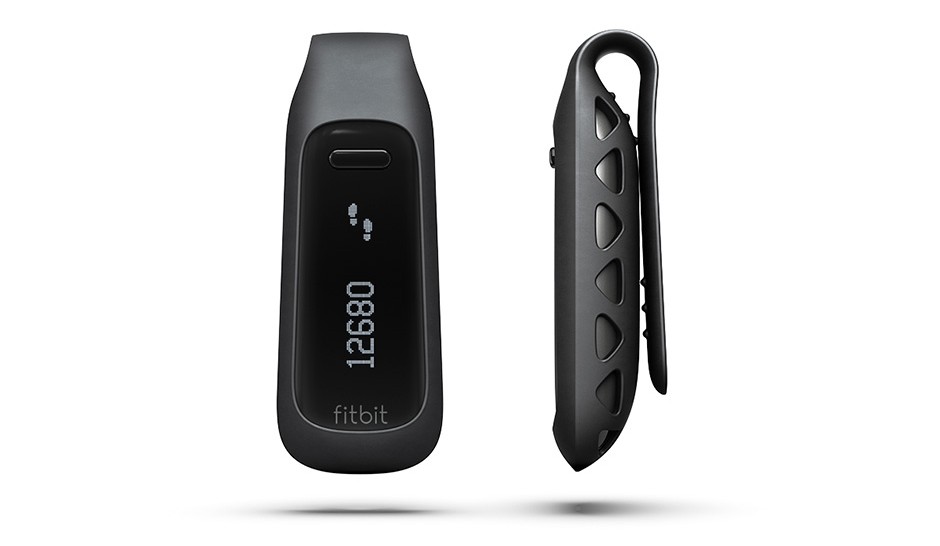
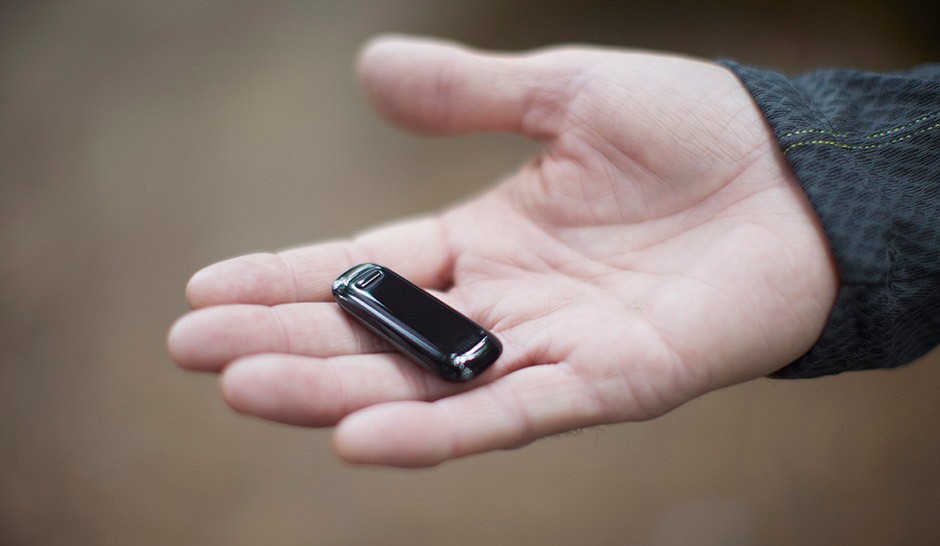
  • Small and lightweight, with a variety of included accessories for most needs
  • Helps you track your progress and gives you achievable targets for weight loss/fitness gains
  • Synchronises automatically when near any computer with a sync dongle attached
  • Display so you can see your current stats on the unit
  • Battery life – I’ve had mine for a week now and have just under half-battery left from the initial charge

Cons:

  • Only a few Android devices can be used for syncing to a phone. Need my HTC One to be able to sync
  • Sometimes can be fooled into thinking you’ve done extra steps
  • Doesn’t always record stair climbs
  • The Calorie/food tracker isn’t as good for UK as the MyFitnessPal app/website. lots of missing foods etc

So in summary this is a great device, and bar a few little issues (which in my opinion are quite easy fixes) if you use this as part of a health toolkit you really do have a fantastic setup to help you lose weight and keep fit. I highly recommend this and while I’m still trying to workout some of the activity monitoring settings it’s easy to use and is just a simple way to monitor your lifestyle.